launchd vs Docker for Always-On Claude Code Bots on a Mac
Seventeen bots run as one Python process under launchd on a Mac. No Docker, no cloud. Why, the four traps we hit, and the checklist for moving machines.
When people hear “17 bots in production” they picture containers, a cloud box, possibly a small Kubernetes cluster humming in a data centre. Ours is one Python process on a Mac, kept alive by launchd, in a folder. This post is why, what went wrong, and the checklist we used to move the whole thing to a new machine in an afternoon.
Why not Docker
The bots call the Claude Code CLI, which is logged in to a subscription on the machine. That login lives in the user’s keychain and config. Putting the CLI in a container means either baking credentials into an image (no) or mounting the user’s home directory into the container (also no, and at that point the container is isolating you from nothing except your own understanding of what’s running).
Docker also adds a layer the rest of my team can’t see into. If a bot stops, I want “is the process running?” to be answerable by anyone who can open Activity Monitor and squint.
So: one process, launchd, a plain folder. It’s not impressive. It’s visible.
The shape
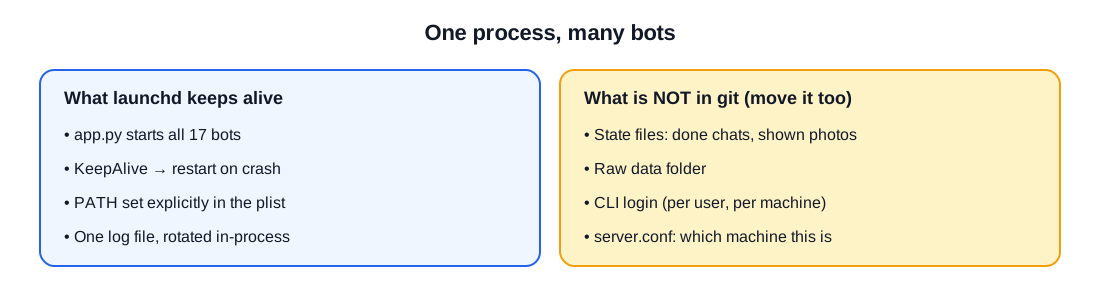
app.pystarts every bot in one process. One, not seventeen, because they share the Slack connection, the config and the log, and because seventeen processes is seventeen things to forget.- A
launchdplist withKeepAliveset, so if the process dies it comes straight back, slightly embarrassed. - Logs go to one file that the process itself rotates by copy-and-truncate, because
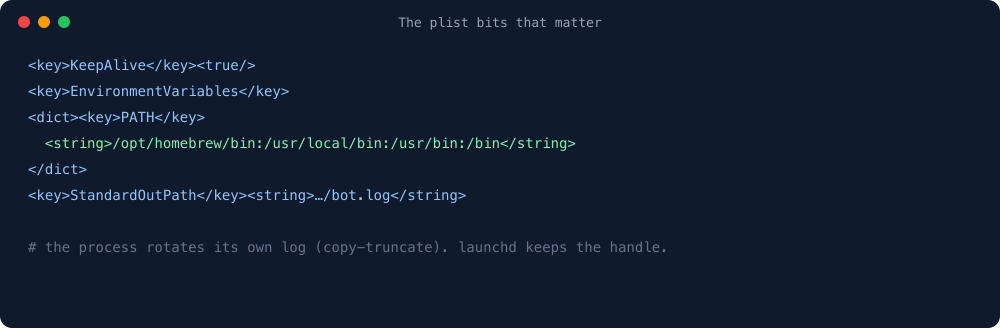
launchdholds the file handle and will happily keep writing to a file you’ve renamed. - A single config file tells every bot which machine it’s on.
The four traps
1. launchd doesn’t have your PATH. A bot that worked from the terminal failed as a service because it couldn’t find claude. Every external command is now called by full path, and the plist sets PATH explicitly. Never, ever call the bare name from code. Tattoo it somewhere.
2. The machine must not sleep. Obvious, and still the cause of a week of missing reports. Sleep is off on power. When a bot goes quiet, the first thing I check is the power log, not the bot, because the bot is usually fine and the Mac is usually napping.
3. Log flooding hides real errors. A DNS resolver that failed intermittently produced a stack trace on every poll until 90% of the log was one error. Now resolver failures back off and log one line, and the real errors get to be seen.
4. Token renewal is a job, not a memory. The CLI’s login expires. A renewal script runs on a schedule and alerts if it fails, because “every bot stopped at the same moment” is exactly what an expired login looks like and exactly the kind of thing I’d otherwise discover on a Monday.
The migration checklist
In October we moved from a laptop to a shared office Mac. The kit is four scripts in a deploy/ folder and one rule in capital letters: TAKE THE OLD MACHINE DOWN FIRST. Two copies of the bots polling the same chat API and writing the same sheet is not “redundancy”. It’s a fight.
- Stop the old process and unload its plist.
- Copy the repo folder, plus the two things that are not in git: the state files (which chats are done, which photos were shown) and the raw data folder. Forget those and the bot cheerfully re-processes a month of chats on its first run.
- Install dependencies on the new machine. Two were missing from our written list and only revealed themselves when a bot tried to resize an image and discovered it couldn’t.
- Write the machine’s identity into the config file.
- Log the CLI in, as the user the service runs as, not as you.
- Load the plist, tail the log for ten minutes, send one test command through Slack, exhale.
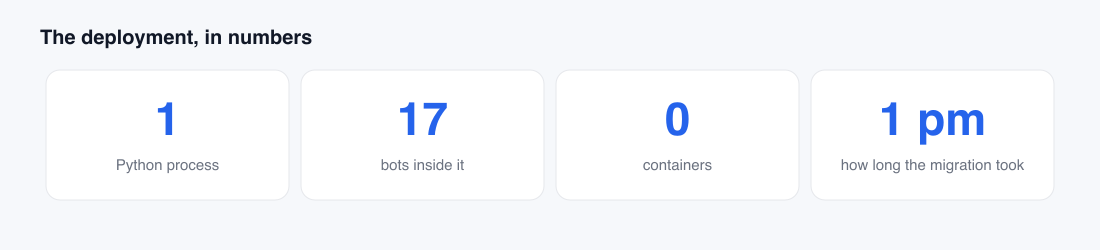
The move took an afternoon. The afternoon before, spent writing the checklist, is what made it an afternoon instead of a weekend.
When Docker would be right
If the bots called an API with a key instead of a logged-in CLI, or if more than one person deployed them, a container would earn its keep. For one operator, one machine and a subscription login, it’s a layer that only hides things, and I have enough of those.
One line from me
None of this is hard. It’s the tedious, soul-sucking grunt work nobody wants to do. Hand every bit of it to the bot.